Symptoms
After an update, your IMAP account can no longer connect and shows this error:
This operation is only allowed using a successfully authenticated context.
Cause
Your mail server requires a secure connection, but the account is set up without SSL. Mail servers increasingly refuse unencrypted connections.
Solution
Enable the secure connection (SSL) in your account settings.
- Click Your accounts, then edit the account that fails.
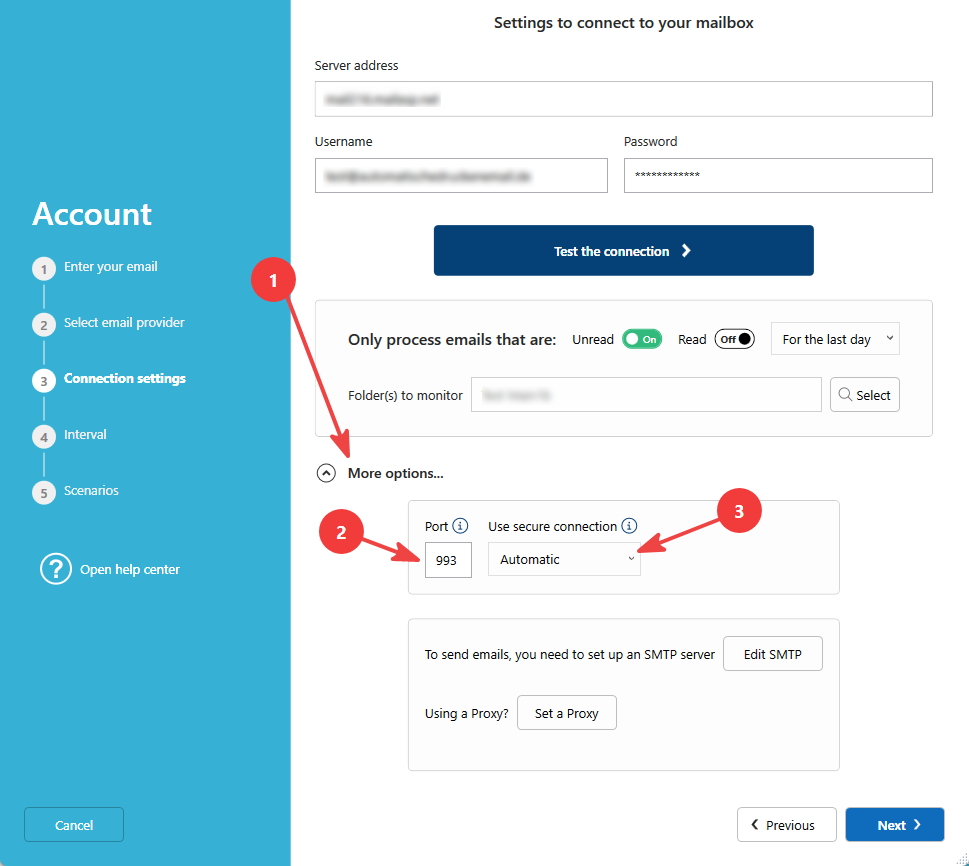
- Go to step 3.
- Click More options.
- Select Use a secure connection (SSL).
- Check the Server port. With SSL, IMAP usually uses port 993 (instead of 143).
- Click Test connection, then save.
- If it still doesn't work, please re-enter your password.