
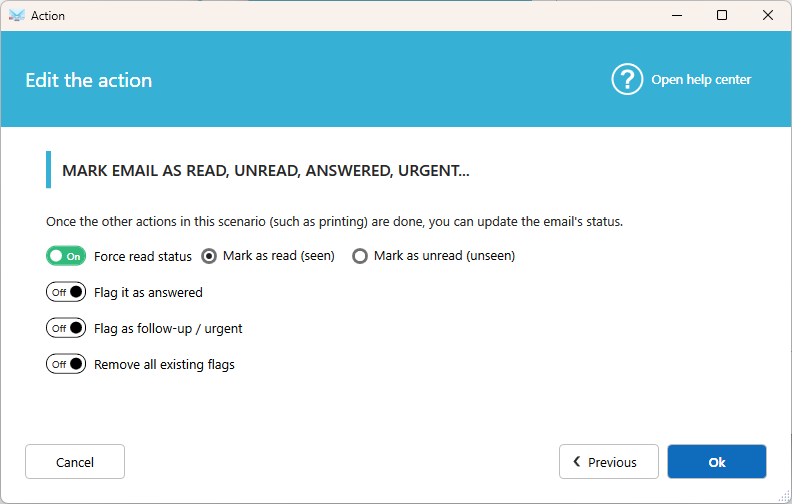
Change the status of an email on the server once it's been processed. The most common use is to mark it as read, so you can see at a glance which emails have already been handled.
How to add it
- Open the scenario you want to edit, or create a new one.
- Click Add action.
- Select Manage email on server, then Mark email as read, unread, answered, urgent…
- Choose the status to apply and click Ok.
Available statuses
- Mark as Read (seen)
- Mark as Unread (unseen)
- Flag as answered
- Flag as to follow/urgent
- Remove all existing flags
Select at least one status, then save the action.
Good to know
- The status is applied at the end of the scenario, after all the other local actions.
- A scenario can contain only one Mark email action.
- Available flags may vary depending on your email provider.
Tips
- Add this action to every scenario, so processed emails are always easy to spot in your mailbox.
- To clean your inbox completely, use Move email or Delete email instead.